모프 전환Morph
같은 요소의 형태와 색을 바꿔 다음 장면의 구성 요소로 이어지는 전환The same element changes shape and color to become a component of the next scene.
무엇을 전하나What it tells
- 입력 도형을 출력 데이터의 막대로 연결할 때
- 장면 사이에 같은 대상을 다른 역할로 이어갈 때
- Transform an input shape into a bar in output data.
- Carry the same object across scenes in a different role.
- 같은 DOM 요소를 유지한다
- 변형 중 형태를 읽을 짧은 정지를 둔다
좋은 예와 나쁜 예Good and bad use
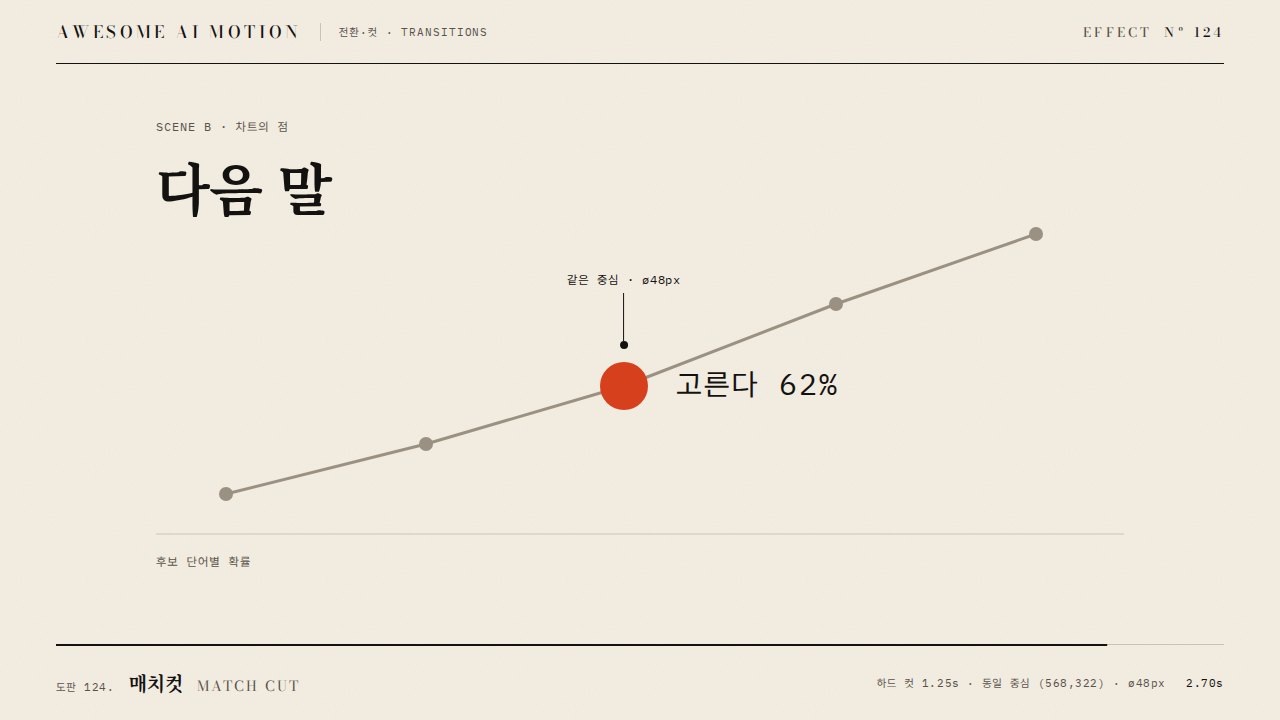
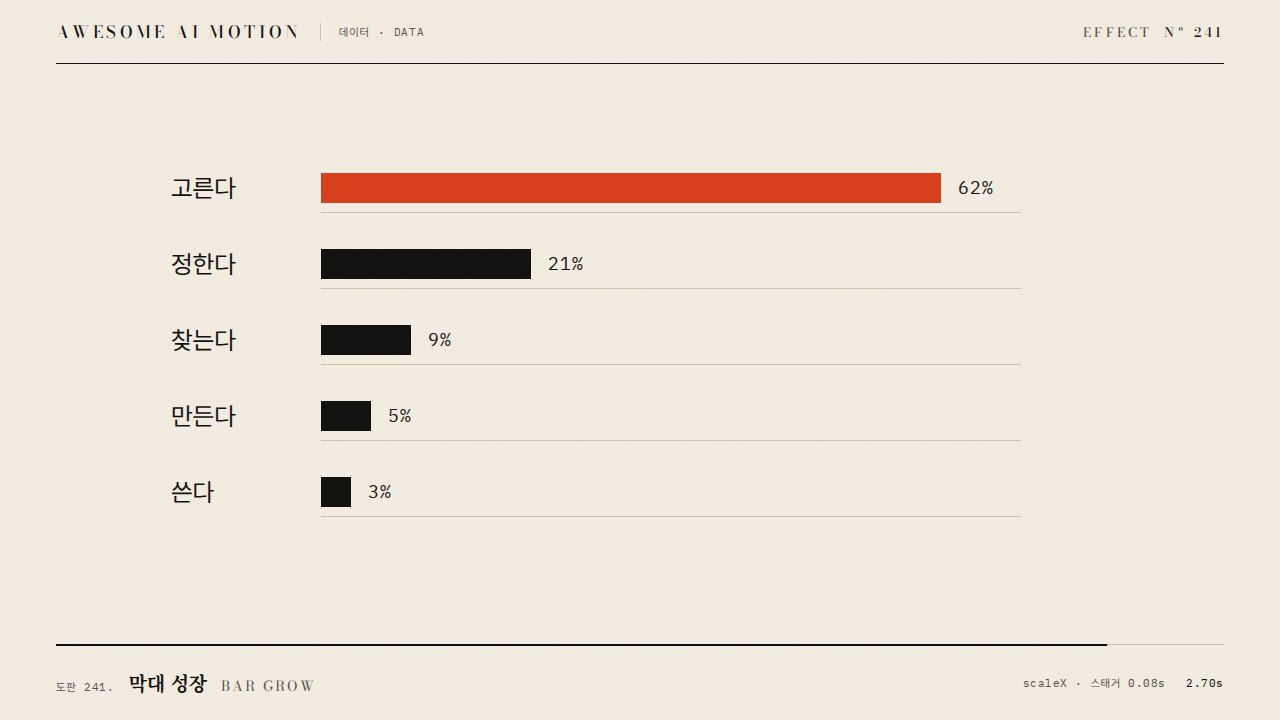
먹 사각형이 주홍 원으로 변한 뒤 가로로 늘어나 고른다 62% 막대가 된다
사각형을 지우고 별도 원과 막대를 등장시켜 연속 변형이 사라진다
파라미터Parameters
기본값은 클립에 쓴 값Defaults are the values used in the clip
| 항목PARAM | 기본DEFAULT | 범위RANGE | 메모NOTE |
|---|---|---|---|
| 원 변형 시간 | 0.7s | 0.4~0.9s | 색과 모서리를 함께 변경 |
| 원 홀드 | 0.2s | 0.15~0.35s | 다음 변형 전 원을 읽는다 |
| 막대 배율 | 3.1 × 0.16 | 가로 2~4 × 세로 0.1~0.3 | 200px 원이 620×32px 막대로 변한다 |
| 막대 변형 시간 | 0.75s | 0.5~1s | 위치와 크기를 동시에 연결 |
tl.set('.morph', {x:420, borderRadius:'0%', scaleX:1, scaleY:1});
tl.to('.morph', {borderRadius:'50%', backgroundColor:'var(--verm)', duration:0.7, ease:'power2.inOut'}, 0.35);
tl.to('.morph', {x:0, scaleX:3.1, scaleY:0.16, borderRadius:'0%', duration:0.75, ease:'power3.inOut'}, 1.25);
tl.to('.b', {opacity:1, duration:0.3}, 1.75);에이전트 프롬프트Agent prompts
그대로 붙여 넣는다Paste as is
<대상>의 먹 사각형을 같은 DOM 요소로 주홍 원과 막대로 변형해줘. 200×200px 사각형은 0.35초부터 0.7초간 border-radius 0%에서 50%로 바꾸며 주홍으로 변하고 1.25초부터 0.75초간 x 420에서 0, scaleX 3.1, scaleY 0.16, border-radius 0%로 변해. 장면 B는 1.75초부터 0.3초간 드러내고 2.35초 이후 정지해.
Transform the ink-black square in <target> into a vermilion circle and then a bar using the same DOM element. Starting at 0.35 seconds over 0.7 seconds, change the 200×200px square from border-radius 0% to 50% while turning it vermilion. Starting at 1.25 seconds over 0.75 seconds, animate x from 420 to 0, scaleX to 3.1, scaleY to 0.16, and border-radius to 0%. Reveal scene B starting at 1.75 seconds over 0.3 seconds, and hold after 2.35 seconds.
<파일>에서 left 64px, top 190px인 200×200px 요소를 transform-origin 0 50%로 두고 초기 x를 420px로 설정해. 0.35초부터 0.7초간 원과 주홍색으로 변형하고 1.25초부터 0.75초간 x 0, scaleX 3.1, scaleY 0.16으로 움직여 첫 막대로 연결해. 0.23초, 0.73초, 1.23초, 1.73초, 2.9초를 캡처해 같은 요소의 크기·색·형태가 이어지고 최종 막대가 620×32px인지 확인해.
In <file>, place a 200×200px element at left 64px and top 190px with transform-origin 0 50% and initial x 420px. Starting at 0.35 seconds over 0.7 seconds, morph it into a vermilion circle. Starting at 1.25 seconds over 0.75 seconds, animate to x 0, scaleX 3.1, and scaleY 0.16 to connect it to the first bar. Capture at 0.23, 0.73, 1.23, 1.73, and 2.9 seconds to verify continuity of the same element's size, color, and shape, and a final bar size of 620×32px.
도구별로 쓰기In your tools
HyperFrames · ReelForge · Scrolline
잘 맞는 조합Pairs well with
출처Sources
개념 출처와 라이선스. 구현은 이 레포에서 새로 씀Concept sources and licenses. Implementations are original to this repo
- GSAP Timeline 공식 문서공식 문서 개념 참조
- Adobeunknown
- Blackmagic Designunknown
- apache/echartsApache-2.0
- Heer & Robertson 2007unknown
- heygen-com/hyperframesApache-2.0
- greensock/GSAPGSAP Standard License
- motiondivision/motionMIT