오프셋 패스Offset Path
도형의 외곽이 일정 거리만큼 부풀거나 줄어드는 확장과 수축A shape's outline grows or shrinks outward by a fixed distance.
무엇을 전하나What it tells
- 선택 영역이나 경계를 넓혀 강조할 때
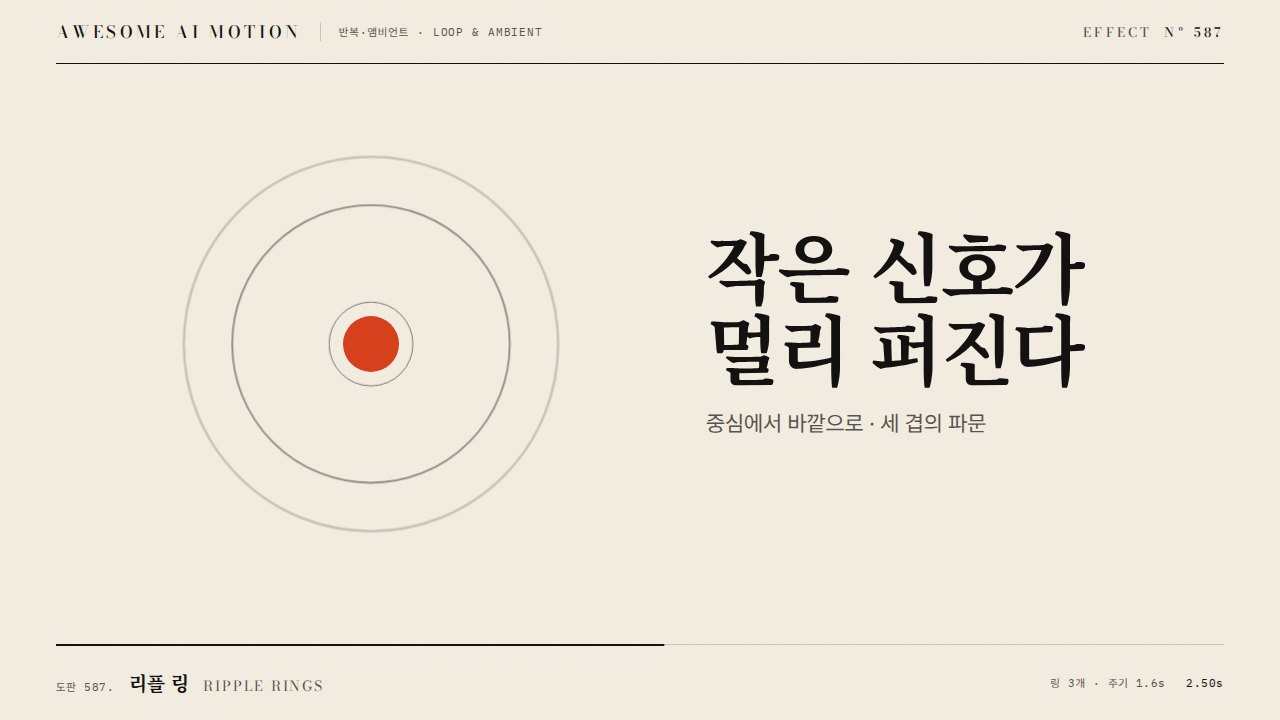
- 동심 윤곽으로 확산되는 파동을 만들 때
- 도형이 커진다기보다 껍질이 두꺼워지는 표현이 필요할 때
- Widen a selection area or boundary for emphasis.
- Concentric outlines spreading like a wave.
- Thicken a shell rather than scaling the shape.
- scale로 대체하지 않는다(선 굵기가 변함)
- 오프셋은 오목한 곡률 반경보다 작게 한다
- 동심 윤곽은 3~5개로 제한한다
좋은 예와 나쁜 예Good and bad use
도형 외곽이 600ms에 0에서 24px까지 균일하게 부풀고 모서리는 조인 형태를 유지한다
scale로 키워 선 굵기와 모서리가 함께 커져 형태가 왜곡된다. 오프셋이 커서 안쪽 오목한 부분이 겹친다
파라미터Parameters
기본값은 클립에 쓴 값Defaults are the values used in the clip
| 항목PARAM | 기본DEFAULT | 범위RANGE | 메모NOTE |
|---|---|---|---|
| 시간 | 0.6s | 0.4~1.0s | 팽창 |
| 오프셋 | 0→24px | 0~40px | 법선 방향 |
| 윤곽 수 | 1 | 1~5 | 동심 시 간격 12px |
| 조인 | round | round/miter | 모서리 형태 |
| 이징 | power2.inOut | power1~power3 |
// 각 오프셋 값에 대한 외곽을 사전 계산한 path d 배열로 두고 보간
const d = [d0, d8, d16, d24]; // 0, 8, 16, 24px 오프셋 경로
const o = { t: 0 };
tl.to(o, { t: 3, duration: 0.6, ease: 'power2.inOut', onUpdate: () => el.setAttribute('d', d[Math.round(o.t)]) }, 0.3);
// 단순 원형은 r 만 tween: tl.to('circle', { attr: { r: '+=24' } })에이전트 프롬프트Agent prompts
그대로 붙여 넣는다Paste as is
GSAP과 SVG로 <도형>의 외곽 오프셋 애니메이션을 만들어 줘. 오프셋 0, 8, 16, 24px의 path d를 미리 계산해 두고, 0.3초부터 0.6초 동안 power2.inOut으로 단계 보간해 균일하게 부풀게 해. scale로 키우지 말고 선 굵기와 모서리 형태를 유지해. 원이면 r만 24px 늘려도 좋아. paused 타임라인으로 작성해.
Use GSAP and SVG to animate an outline offset on <shape>. Precompute the path d at offsets 0, 8, 16 and 24px, and step through them from 0.3 seconds over 0.6 seconds with power2.inOut so it swells evenly. Do not scale; keep stroke width and corner shape. For a circle, tweening r by 24px is fine. Paused timeline.
<파일>의 도형에 offset-path를 적용해. 오프셋 경로 d 배열 [d0,d8,d16,d24]를 정적으로 두고 tween 객체 t를 position 0.3, duration 0.6, ease power2.inOut으로 0→3, onUpdate에서 setAttribute('d', d[Math.round(t)]). 0.3초는 원본, 0.6초는 중간 오프셋, 1.2초는 24px 오프셋이며 stroke 폭이 변하지 않았는지 캡처로 확인해.
Apply offset-path to the shape in <file>. Keep static d array [d0,d8,d16,d24]; tween object t 0 to 3 at position 0.3, duration 0.6, ease power2.inOut, and setAttribute('d', d[Math.round(t)]) in onUpdate. Capture 0.3s (original), 0.6s (mid offset) and 1.2s (24px offset with unchanged stroke width).
도구별로 쓰기In your tools
HyperFrames · ReelForge · Scrolline
잘 맞는 조합Pairs well with
출처Sources
개념 출처와 라이선스. 구현은 이 레포에서 새로 씀Concept sources and licenses. Implementations are original to this repo
- helpx.adobe.comunknown
- airbnb/lottie-webMIT