타이밍과 간격Timing & Spacing
같은 이동 시간 안에서 프레임 사이 위치 간격으로 속도 변화를 드러내는 움직임Spacing between successive frame positions reveals changes in velocity within the same movement duration.
무엇을 전하나What it tells
- 등속 이동과 감속 이동을 같은 조건으로 비교할 때
- 이징의 속도 변화를 잔상으로 설명할 때
- Compare constant-speed and decelerating movement under identical conditions.
- Explain easing-related velocity changes with motion trails.
- 잔상을 현재 점보다 진하게 표시하지 않는다
- 프레임 간격을 불규칙하게 샘플링하지 않는다
좋은 예와 나쁜 예Good and bad use
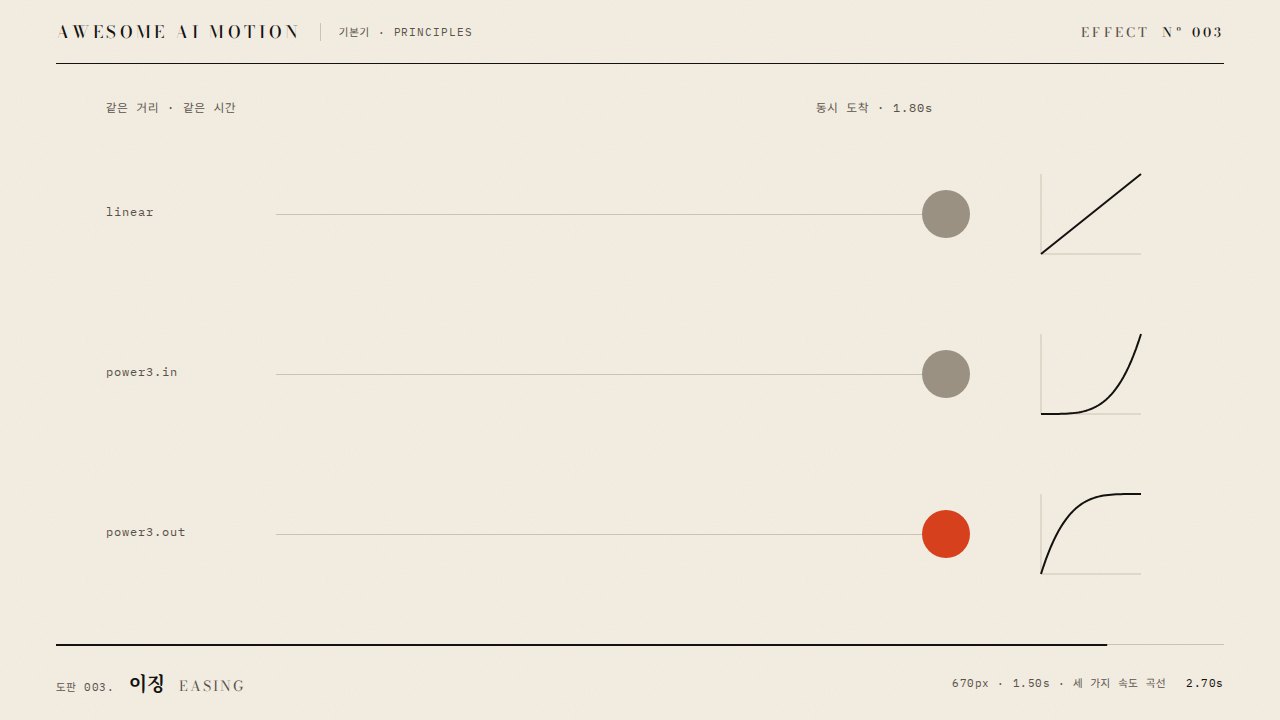
920px를 1.4초 동안 이동하며 30fps 위치를 남기면 linear는 균등하고 power3.out은 도착점에서 촘촘해진다
이동 거리와 지속 시간이 다른 두 줄을 비교해 간격 차이의 원인을 알 수 없다
파라미터Parameters
기본값은 클립에 쓴 값Defaults are the values used in the clip
| 항목PARAM | 기본DEFAULT | 범위RANGE | 메모NOTE |
|---|---|---|---|
| 이동 거리 | 920px | 600~940px | 비교 줄의 거리를 동일하게 둔다 |
| 이동 지속 | 1.4s | 1.0~1.8s | 두 줄을 같은 시각에 시작하고 끝낸다 |
| 잔상 샘플링 | 30fps | 24~60fps | 매 1/30초의 위치를 고정 잔상으로 남긴다 |
| 감속 이징 | power3.out | power2.out~power4.out | 도착점 가까이 잔상 간격이 좁아진다 |
const ease = gsap.parseEase('power3.out');
for (let i=0; i<=42; i++) {
  const dot = document.createElementNS('http://www.w3.org/2000/svg', 'circle');
  dot.setAttribute('cx', 20+920*ease(i/42)); dot.setAttribute('cy', 35);
  dot.setAttribute('r', 4.5); dot.setAttribute('class', 'trail');
  document.querySelector('#easeTrail').appendChild(dot);
  tl.set(dot, {opacity:0.40}, 0.3+i/30);
}
tl.to('#linearDot', {x:920, duration:1.4, ease:'none'}, 0.3);
tl.to('#easeDot', {x:920, duration:1.4, ease:'power3.out'}, 0.3);에이전트 프롬프트Agent prompts
그대로 붙여 넣는다Paste as is
<대상>을 위쪽 회색 linear 점과 아래쪽 주홍 power3.out 점으로 비교해줘. 두 점 모두 0.3초에 출발해 920px를 1.4초 동안 이동하고 매 1/30초 위치에 반지름 4.5px의 먹 잔상을 남겨. 잔상은 제자리에 유지하고 2.05초부터 3초까지 정지해 끝에서 좁아지는 간격을 읽게 해.
Compare <target> as an upper gray linear dot and a lower vermilion power3.out dot. Start both at 0.3 seconds and move them 920px over 1.4 seconds. Leave ink-black trail dots with radius 4.5px at positions sampled every 1/30 second. Keep the trail dots in place and hold from 2.05 to 3 seconds so the tightening spacing near the endpoint is readable.
<파일>의 .scene에 같은 길이의 위·아래 트랙을 만들고 0.3초부터 x 0→920을 1.4초 동안 실행해. 위는 none, 아래는 power3.out이며 i=0~42의 잔상을 i/30초마다 tl.set으로 표시해. 0.73초에 이동 속도 차이, 1.73초에 균등 간격과 도착점에 모인 잔상, 2.9초에 완성 홀드를 캡처해 검증해.
Create upper and lower tracks of equal length in .scene in <file> and animate x from 0 to 920 starting at 0.3 seconds over 1.4 seconds. Use none for the upper track and power3.out for the lower track. Reveal trail dots i=0 through 42 with tl.set at i/30-second intervals. Capture at 0.73 seconds to check the speed difference, at 1.73 seconds to check uniform spacing versus dots clustered near the endpoint, and at 2.9 seconds to verify the completed hold.
도구별로 쓰기In your tools
HyperFrames · ReelForge · Scrolline
잘 맞는 조합Pairs well with
출처Sources
개념 출처와 라이선스. 구현은 이 레포에서 새로 씀Concept sources and licenses. Implementations are original to this repo
- Disney 12 principles, Timing개념 인용
- greensock/GSAPGSAP Standard License