타자기Typewriter
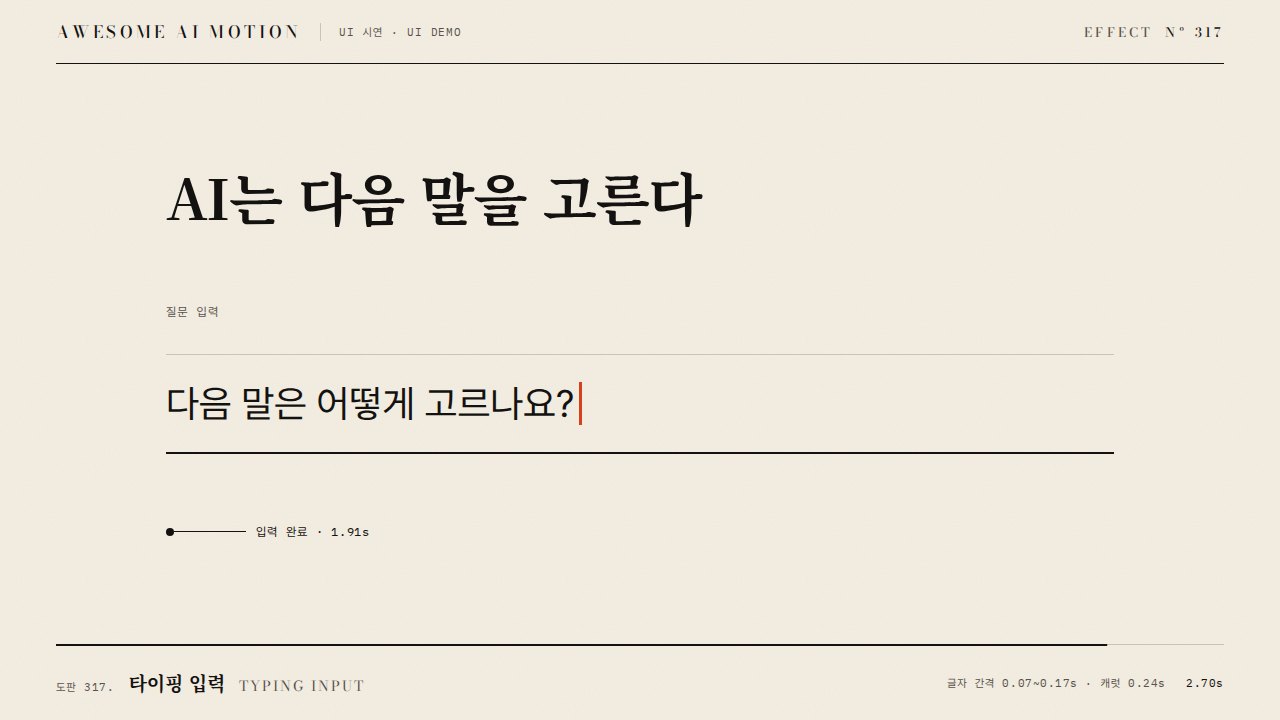
문장을 한 글자씩 일정 간격으로 드러내고 커서가 입력 위치를 따라가는 효과A sentence appears one character at a time at regular intervals while a cursor follows the insertion point.
무엇을 전하나What it tells
- 짧은 입력 문장이 만들어지는 과정을 보여줄 때
- 대화형 UI에서 작성 중이라는 상태를 보여줄 때
- Show a short input sentence being composed.
- Show a typing state in a conversational UI.
- 긴 본문에는 적용하지 않는다
- 커서 점멸을 완성 홀드까지 계속하지 않는다
좋은 예와 나쁜 예Good and bad use
AI는 다음 말을 고른다가 0.06초 간격으로 완성되고 커서가 마지막 글자 뒤에 멈춘다
긴 본문 전체를 느리게 입력해 내용을 읽기까지 기다리게 한다
파라미터Parameters
기본값은 클립에 쓴 값Defaults are the values used in the clip
| 항목PARAM | 기본DEFAULT | 범위RANGE | 메모NOTE |
|---|---|---|---|
| 글자 간격 | 0.06s | 0.04~0.10s | 공백도 한 자리로 센다 |
| 시작 시각 | 0.30s | 0.20~0.40s | 시작 상태를 먼저 보여준다 |
| 커서 점멸 간격 | 0.24s | 0.20~0.40s | 2.4초 이후 켜진 채 정지한다 |
const state = {time:0};
tl.to(state, {time:3, duration:3, ease:'none', onUpdate:paint}, 0);
// paint에서 글자 수와 커서 위치를 매번 재계산한다.
const n = Math.min(chars.length, Math.max(0, Math.floor((state.time-.3+1e-7)/.06)+1));
chars.forEach((c,i) => c.style.opacity = i < n ? 1 : 0);
gsap.set('#caret', {x:-widths.slice(n).reduce((w,v)=>w+v,0)});에이전트 프롬프트Agent prompts
그대로 붙여 넣는다Paste as is
<대상>에 이 효과를 적용하라. AI는 다음 말을 고른다를 글자 span으로 나누고 0.30초부터 0.06초 간격으로 즉시 드러내라. 주홍 커서는 입력 끝을 따라가며 0.24초 간격으로 점멸하고 2.4초부터 켜진 채 유지하라. 3초 타임라인 안에서 마지막 0.6초는 완성 상태로 정지하라.
Apply this effect to <target>. Split "AI picks the next word" into character spans and reveal each instantly at 0.06-second intervals starting at 0.30 seconds. Make a vermilion cursor follow the end of the input and blink at 0.24-second intervals, then remain on from 2.4 seconds. Within a 3-second timeline, hold the completed state for the final 0.6 seconds.
<파일>의 텍스트 장면에 적용하라. AI는 다음 말을 고른다를 글자 span으로 나누고 0.30초부터 0.06초 간격으로 즉시 드러내라. 주홍 커서는 입력 끝을 따라가며 0.24초 간격으로 점멸하고 2.4초부터 켜진 채 유지하라. 0.23초에 입력 전 커서, 0.75초에 부분 입력, 2.7초에 완성 문장과 고정 커서를 확인하라.
Apply this to the text scene in <file>. Split "AI picks the next word" into character spans and reveal each instantly at 0.06-second intervals starting at 0.30 seconds. Make a vermilion cursor follow the end of the input and blink at 0.24-second intervals, then remain on from 2.4 seconds. Check the cursor before typing at 0.23 seconds, partial input at 0.75 seconds, and the completed sentence with a steady cursor at 2.7 seconds.
도구별로 쓰기In your tools
HyperFrames · ReelForge · Scrolline
잘 맞는 조합Pairs well with
쓰이는 곳Used in
출처Sources
개념 출처와 라이선스. 구현은 이 레포에서 새로 씀Concept sources and licenses. Implementations are original to this repo
- GSAP Timeline 공식 문서공식 문서 개념 참조
- heygen-com/hyperframesApache-2.0
- heygen-com/hyperframesApache-2.0
- heygen-com/hyperframesApache-2.0
- heygen-com/hyperframesApache-2.0
- heygen-com/hyperframesApache-2.0