점에서 점으로 선 생성Point-to-point Construction
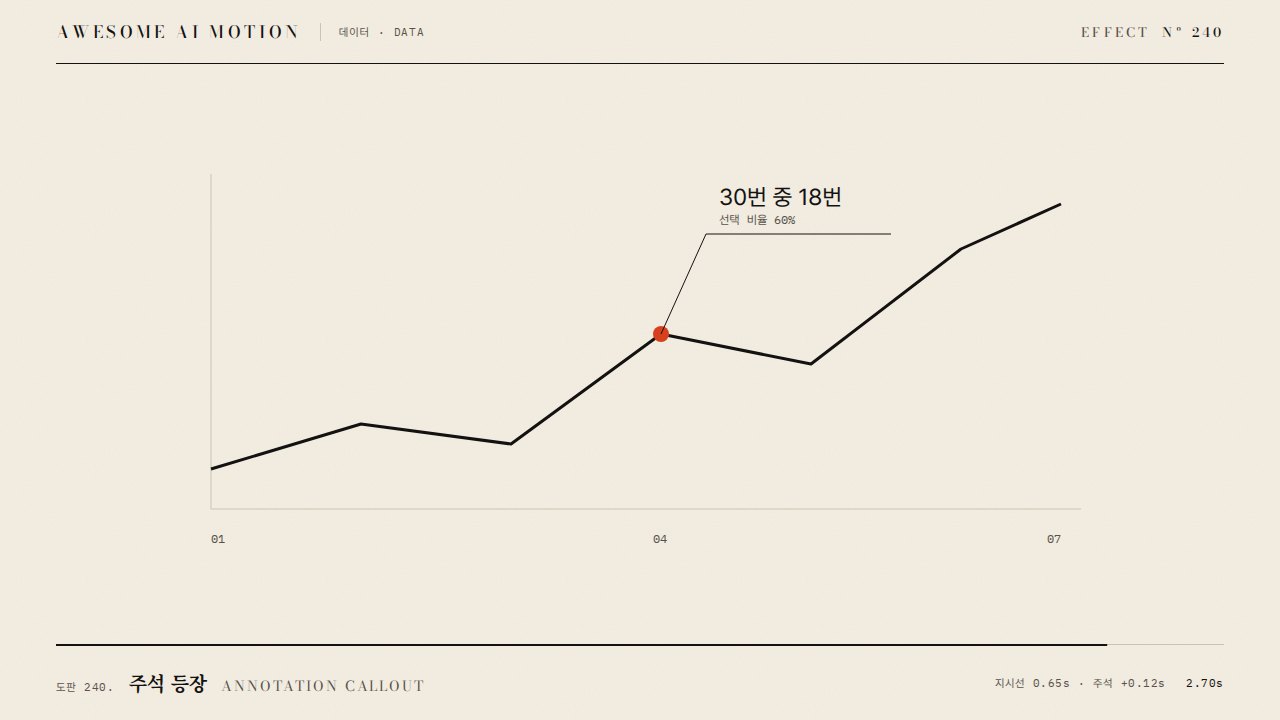
이전 점에서 출발한 다음 점이 실제 값의 위치로 움직이며 선이 이어진다.Each new point travels from the previous point to its data position, extending the line.
무엇을 전하나What it tells
- 데이터가 순서대로 쌓여 추세가 생기는 과정을 보여준다. 이때 항목 ID와 척도를 유지한다.
- 월별 측정점이 앞 점에서 다음 값까지 이어져 추세를 만든다.
- Use when you need to explain point-to-point construction while preserving item identities and chart scales.
- Use when the audience needs to follow the intermediate states rather than only compare final snapshots.
- 점 생성 속도를 값 크기에 따라 바꿔 시간 의미를 왜곡한다.
- 재생 중 임의 난수와 벽시계로 데이터나 좌표를 바꾸지 않는다.
좋은 예와 나쁜 예Good and bad use
월별 측정점이 앞 점에서 다음 값까지 이어져 추세를 만든다.
점 생성 속도를 값 크기에 따라 바꿔 시간 의미를 왜곡한다.
파라미터Parameters
기본값은 클립에 쓴 값Defaults are the values used in the clip
| 항목PARAM | 기본DEFAULT | 범위RANGE | 메모NOTE |
|---|---|---|---|
| 지속 시간 | 4s | 3~6s | 시점 또는 전환 한 회 기준 |
| 점 수 | 20 | 8~40 | 점 간 시간은 전체 시간 나누기 점 수 |
| 선폭 | 3px | 2~5px | 값 축은 고정 |
| 이징 | none | none | none은 선형 진행 |
const tl = gsap.timeline({paused:true});
points.forEach((pt,i)=>{
  const start = i ? points[i-1] : pt;
  const s = {x:start.x,y:start.y};
  tl.to(s,{x:pt.x,y:pt.y,duration:4/points.length,ease:'none',onUpdate:()=>drawPrefix(i,s)},i*4/points.length);
});에이전트 프롬프트Agent prompts
그대로 붙여 넣는다Paste as is
<대상>에 점에서 점으로 선 생성을 적용해줘. 점별 출현 시간을 정하고 이전 점 좌표에서 목표 좌표로 보간해 연결선을 갱신한다. 입력 좌표와 ID 대응을 먼저 준비하고 snippet의 렌더 함수는 이 규칙으로 구현한다. 지속 시간 4s; 점 수 20; 선폭 3px; 이징 none로 구현하고 GSAP 코어 paused 타임라인 하나로 seek를 지원해. 월별 측정점이 앞 점에서 다음 값까지 이어져 추세를 만든다.
Apply Point-to-point Construction to <target>. Use a 4s transition with none easing and preserve item IDs, colors, and chart scales. Implement the geometry renderer used in the snippet with explicit before and after data; use a single paused GSAP core timeline and derive every frame from its playhead. Each new point travels from the previous point to its data position, extending the line.
<파일>의 데이터 차트 갱신 구간에 점에서 점으로 선 생성을 적용해. 점별 출현 시간을 정하고 이전 점 좌표에서 목표 좌표로 보간해 연결선을 갱신한다. 입력 좌표와 ID 대응을 먼저 준비하고 snippet의 렌더 함수는 이 규칙으로 구현한다. 지속 시간 4s; 점 수 20; 선폭 3px; 이징 none를 사용해. 1초, 2초, 4초 시점을 캡처해 이전 점에서 출발한 다음 점이 실제 값의 위치로 움직이며 선이 이어진다. 항목 대응과 최종 수치를 확인하고 역방향 seek에서도 같은 화면인지 검증해.
Apply Point-to-point Construction in the chart update section of <file>. Use the card parameter defaults, a 4s transition, and none easing; implement the snippet geometry helpers from fixed input data. Capture at 1s, 2s, and 4s to verify item correspondence, the intermediate geometry, and final values. Seek backward and forward to confirm identical output at identical times.
도구별로 쓰기In your tools
HyperFrames · ReelForge · Scrolline
잘 맞는 조합Pairs well with
출처Sources
개념 출처와 라이선스. 구현은 이 레포에서 새로 씀Concept sources and licenses. Implementations are original to this repo